
08 2026
Rise the Fenua
Rise the Fenua is a nonprofit that gets school supplies to kids in Tahiti. Part of how it raises money is merchandise: shirts, crewnecks, totes and stickers, released in drops with collab partners.
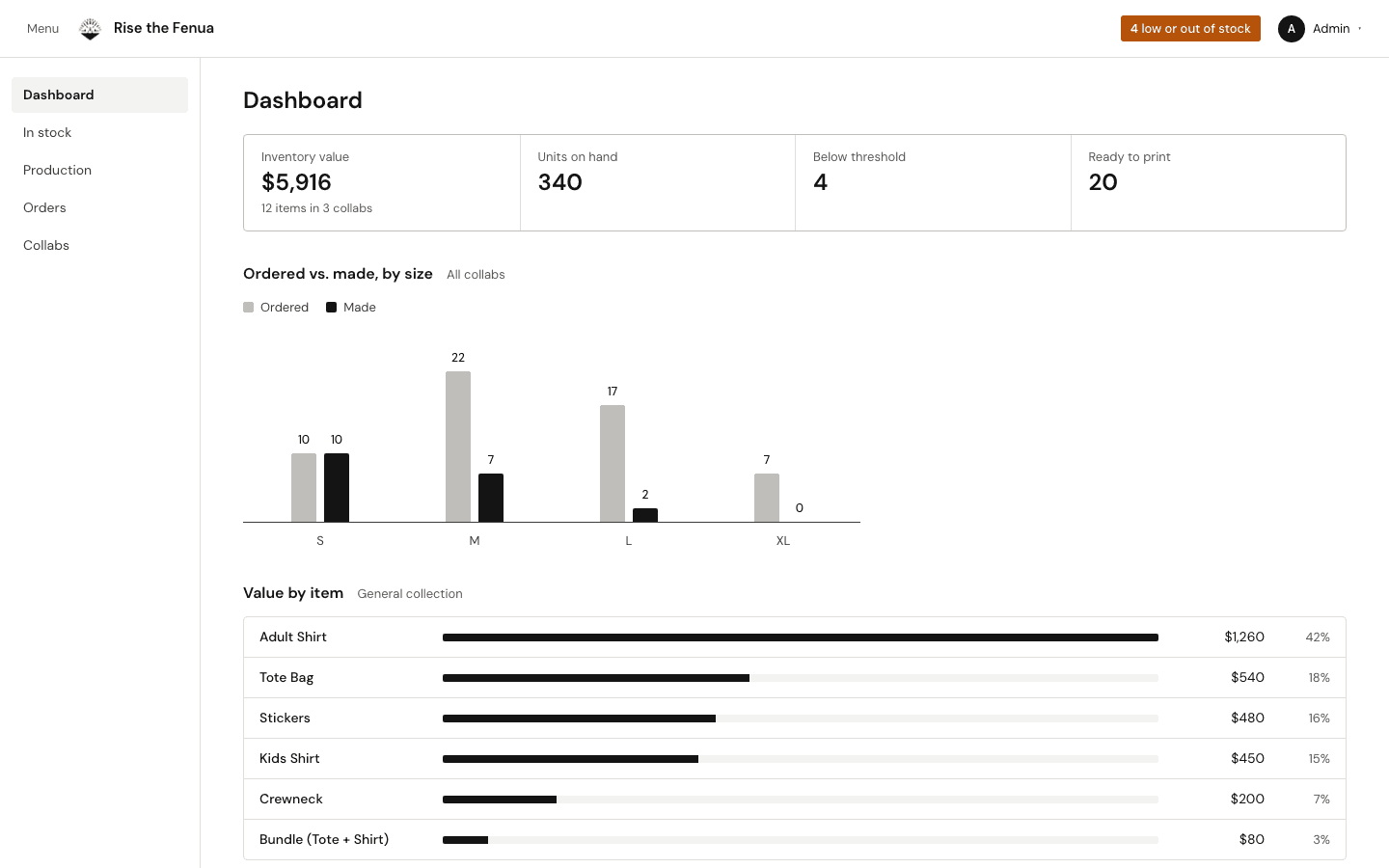
I built the admin the volunteers run that fulfillment from. It keeps a catalog and stock count for every collab, imports the orders that come in through Google Forms, and turns them into a production board that says which sizes are ready to print and which still need blanks.
The screens on this page are a September 2026 redesign of that admin, running on demo data. They aren't the volunteers' live dashboard, and none of the numbers are real.
- Role
- Software Engineering Intern
- Stack
- Next.js, TypeScript, Tailwind CSS, Supabase (Postgres)
- Users
- 20+ volunteers
- Screens
- September 2026 redesign, demo data
Screens
A September 2026 redesign of the admin on demo data, not the live dashboard. Every number is made up.
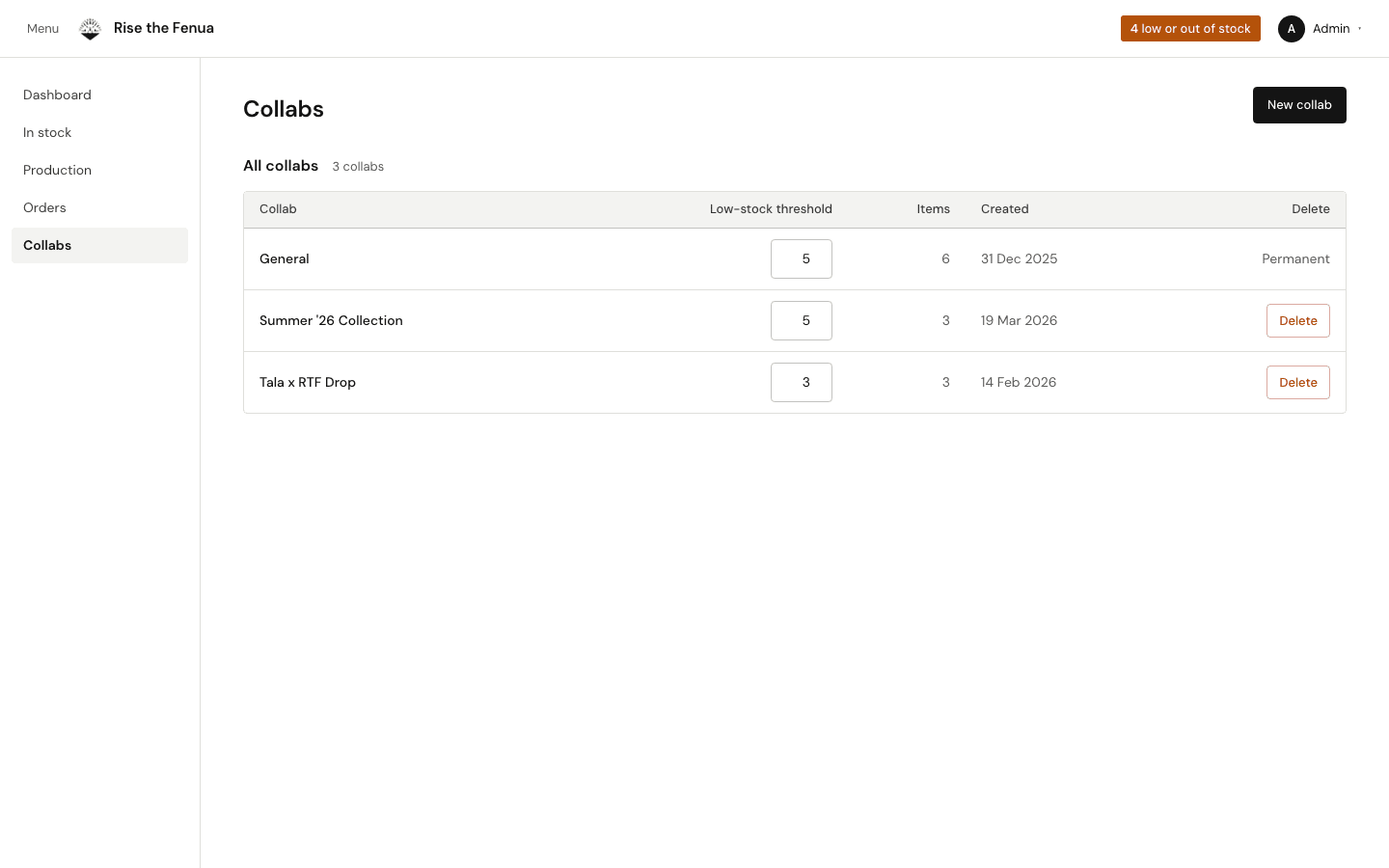
01 / 04 · In stock
01
In stock
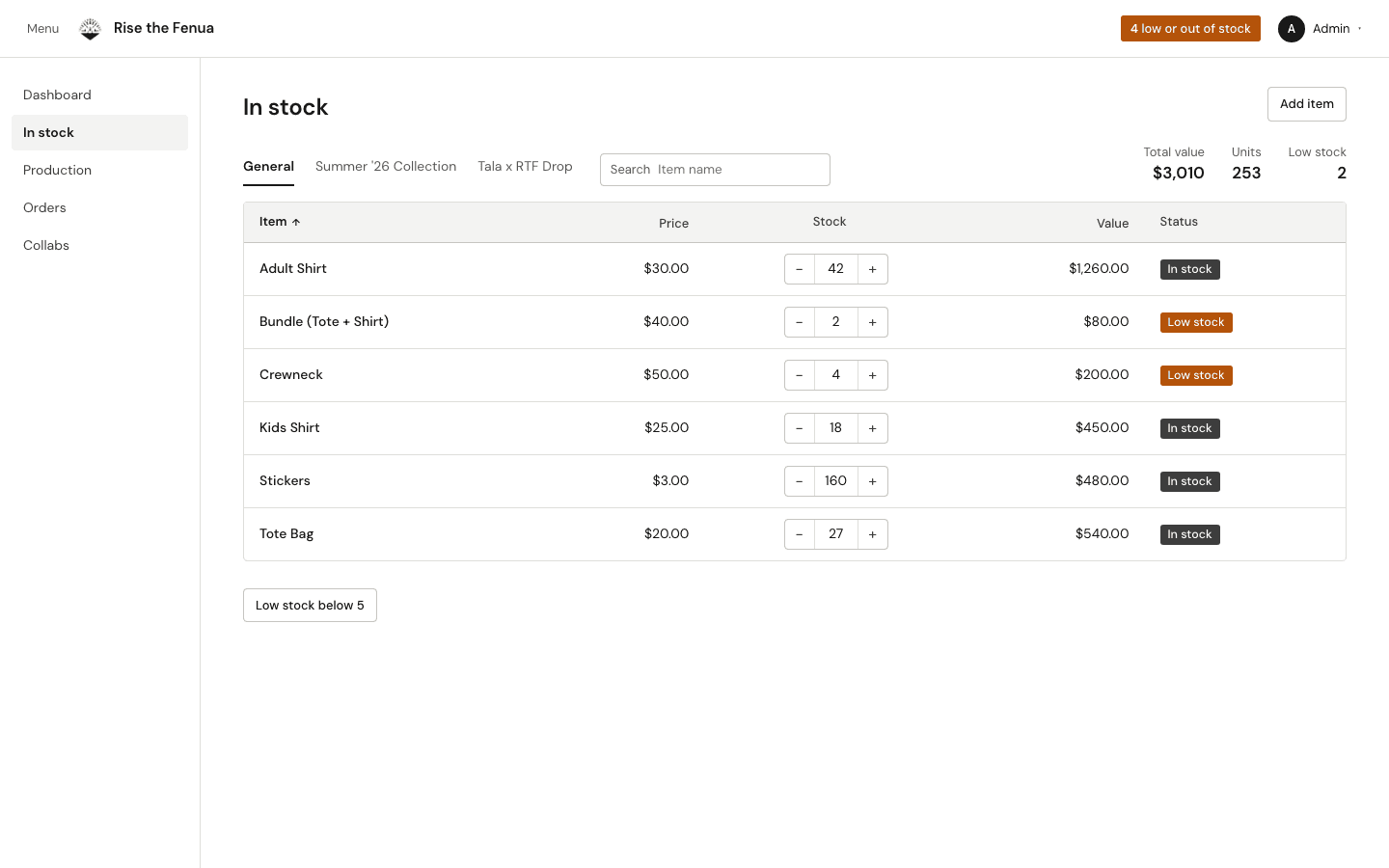
Every item in a collab with its price, a stock count you can nudge with + and − or type over, and a badge when it drops below the collab's threshold.
02
Production
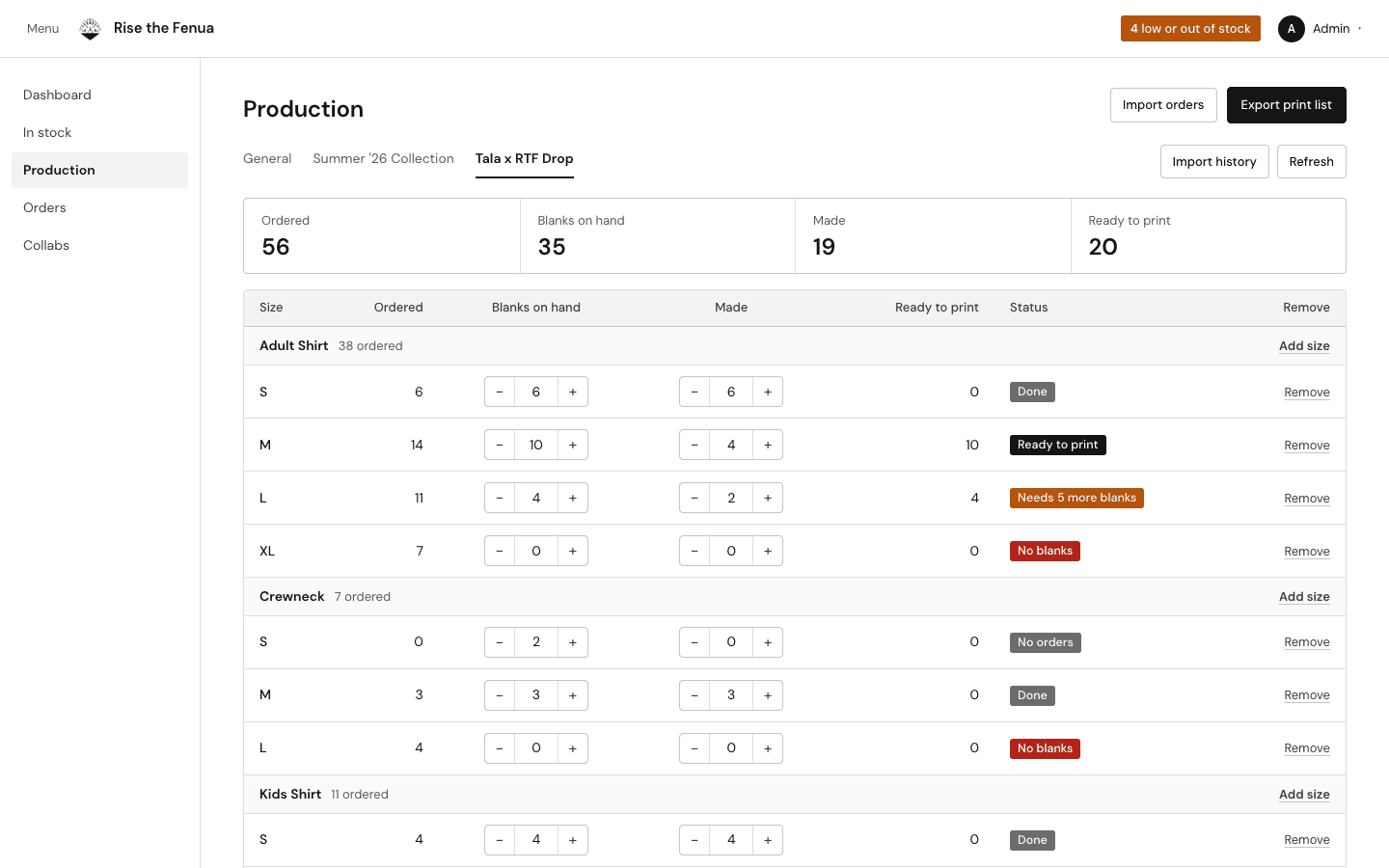
Ordered against blanks on hand and shirts made, per size, with a status on each row: done, ready to print, needs more blanks, or no blanks.
03
Orders
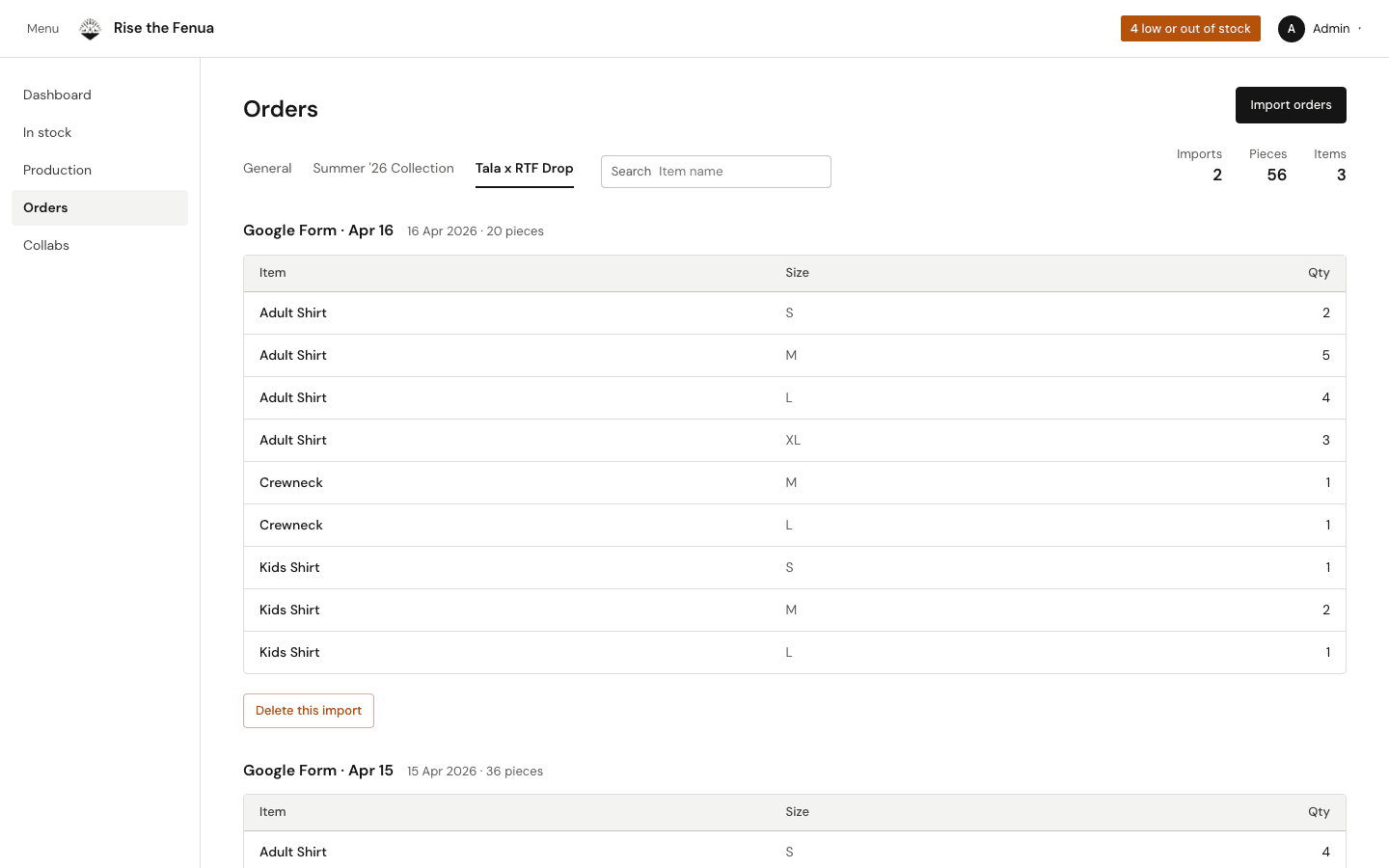
Each Google Form import is kept as its own batch, so a bad one can be deleted without touching the rest.
04
Collabs
One row per collab, each with its own low-stock threshold and item count.
What it does
- Collabs and a catalog
- Each drop is a collab with its own items. A default catalog of six items comes pre-priced, and custom items cover anything it doesn't.
- Stock and low-stock warnings
- Adjust a count with + and − or type an exact number. Each collab sets its own threshold, and anything below it is flagged across the admin.
- Order import
- Google Form responses come in as CSV, with columns excluded or renamed on the way in. Every import stays a separate batch you can review or delete.
- Production tracking
- Ordered, blanks on hand, made and ready to print, per size, with a print list you can export.
How it's built
- Frontend
- Next.js App Router in TypeScript, with Tailwind CSS.
- Data
- Supabase Postgres, with collabs, items, order entries and production items as tables. Six SQL migrations, including auth and row-level security.
- Import
- A CSV parser that normalizes Google Form responses before they reach the database.
What I built
- 01Built the production dashboard that 20+ volunteers use for merchandise fulfillment and coordination.
- 02Wrote the SQL migrations and the import that normalizes Google Form responses, which cut manual processing time by 40%.